Buying Additional Control Packs
The app comes with two free controls. You can keep creating, deleting, editing these two controls. This allows for testing the handler and the bluetooth connection on your Raspberry Pi.
If you need more, you can purchase various Controls Pack using Apple's In-App Purchase process.
The Purchase Screen
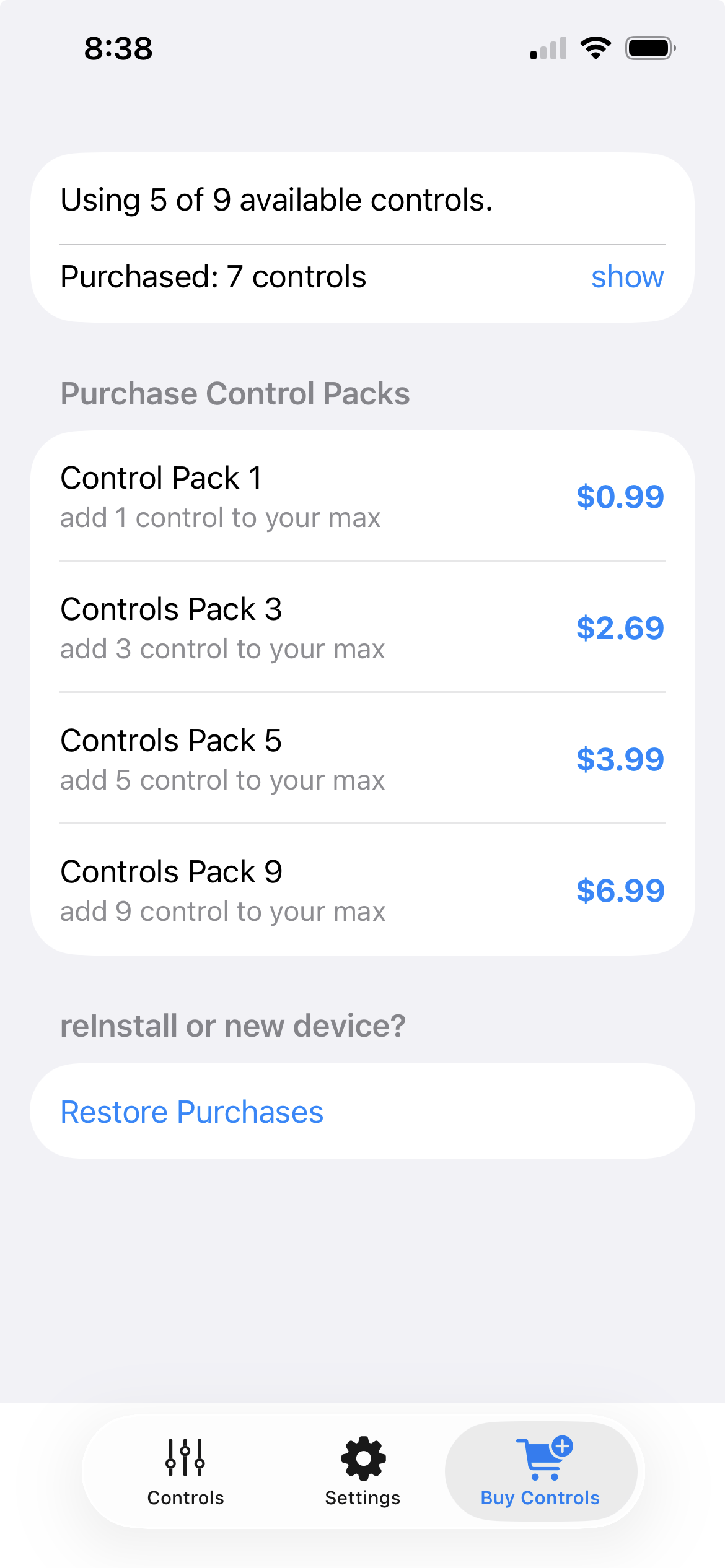
Tap the Buy Controls Tab to display the in-app purchases screen.
Buying Control Packs
This an example of the purchase screen. Tap the blue Price to order the corresponding Control Pack.
This screenshot shows the iOS (Apple) purchase screen. The Android purchase screen is similar but does not include the Restore Purchases section. Note that prices displayed as US$. Other countries may display different values in different currencies.
Control Packs are cumulative. For example if you buy two Controls Pack 3, you add 6 controls to the original free 2 controls, giving you a maximum of 8 controls to use.
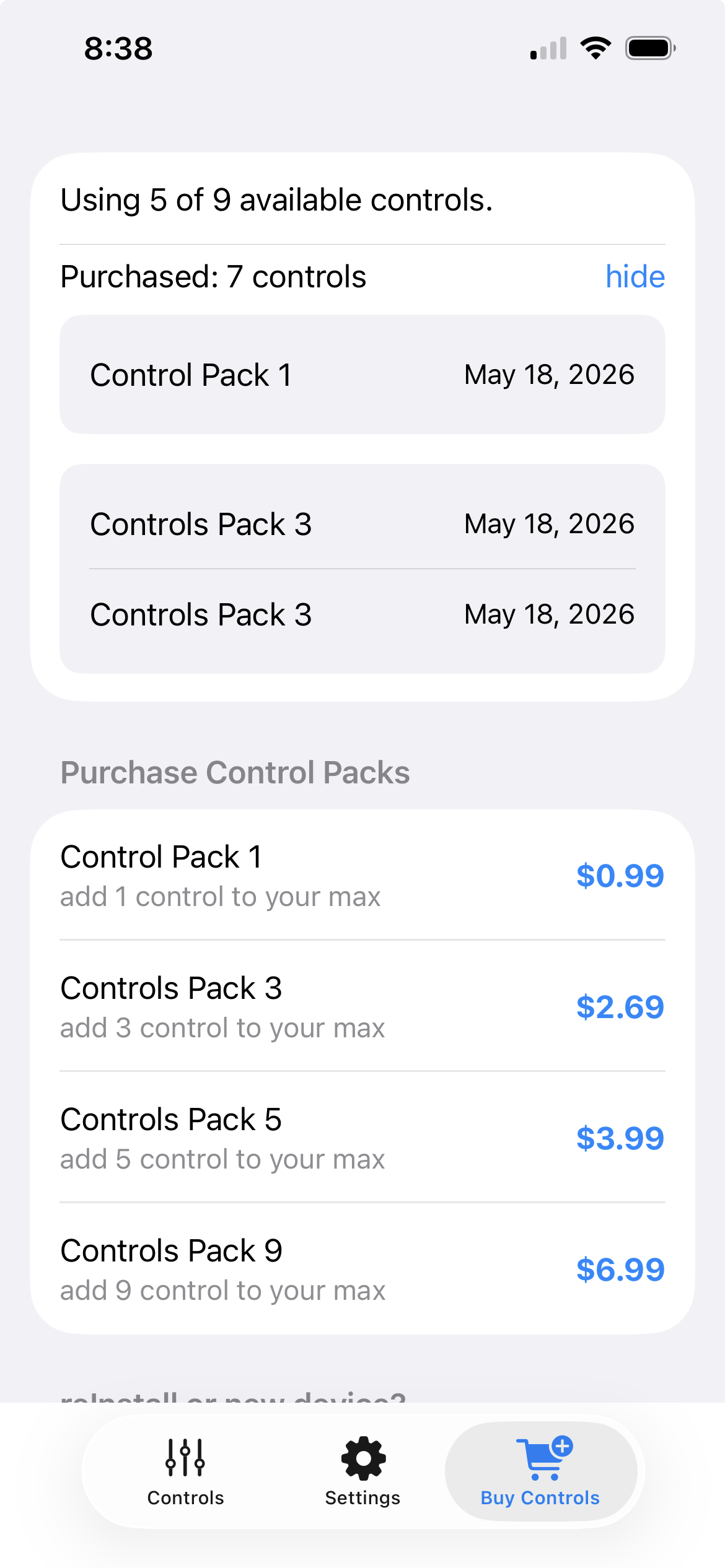
View previous purchases
The second line on the screen list how many controls have been purchased thus far. Tap the show button to view each individual in-app purchase made.
For example, this screen shows 3 different purchases resulting in 7 controls having been purchased.
Restoring Purchases / Synching Purchases- iOS ONLY:
You may install the app on multiple devices that use the same Apple ID, such as an iPhone and an iPad. Any purchases made on one device is available to all devices once the app is restarted on the device.
The app uses Apple's system to keep devices in sync. However, if you uninstall the app on all device, the sync information may be lost.
Use Restore Purchase on the in-app purchase screen to restore the purchased control packs if you re-install the app, or if a newly installed device has not synced.
Control Pack Synching between devices - iOS Device
The controls you define (using the Settings tab) are synched between devices each time you restart the app on a given device.
- If you create a control on one device, the other device will display it.
- If you edit a controls parameters, size or position, the other device will reflect these changes (on app restart)
- If you delete a control on one device, it will be removed from the other device.
- If you purchase a Controls Pack on one device, thus increasing you maximum number of controls, the other device will also see this new maximum.
The sync functionality is not available for Android devices. On Android, purchases are specific to the device that made the purchase.
Restoring Purchases - via Backup on Android:
It is possible to reinstall the app on a device after factory reset or when setting up a new Android phone.
Because Controls Pack are considered consumables by Google they cannot be restored if the app is reinstalled. However, if you back up your device, before doing a factory reset, upon re-installing on a new device, the BLEControlsPi app should have saved your purchases and they will appear in the backed up app once the backup has been installed on the device. This is not guaranteed however since it depends how your particular device handles backups, and what settings you have chosen (you should ensure that backups keep all App data).